Email Format


You send thirty-odd emails before lunch and you format almost none of them on purpose. A greeting from muscle memory, a wall of text, whatever sign-off your thumb lands on — and the email format you settle into by accident is quietly costing you replies. I have spent a decade on the other side of that problem: begging strangers for links, shipping a fortnightly newsletter to a few thousand people who could unsubscribe at any moment, watching which messages got answered and which ones died in a spam folder nobody opens. The pattern is boring and consistent. Structure moves the number.
Here is the number that should worry you. The average cold email now earns a 3.43% reply, while the top quartile clears 5.5% and the best campaigns break 10% (Instantly, 2026). That spread is craft, not volume. So this guide treats email format the way I treat a page that won't rank — as a performance lever with measurable parts — and pairs every rule with a current number. Get the structure right and your emails don't just look correct. They get opened, read, and answered.
What is email format?
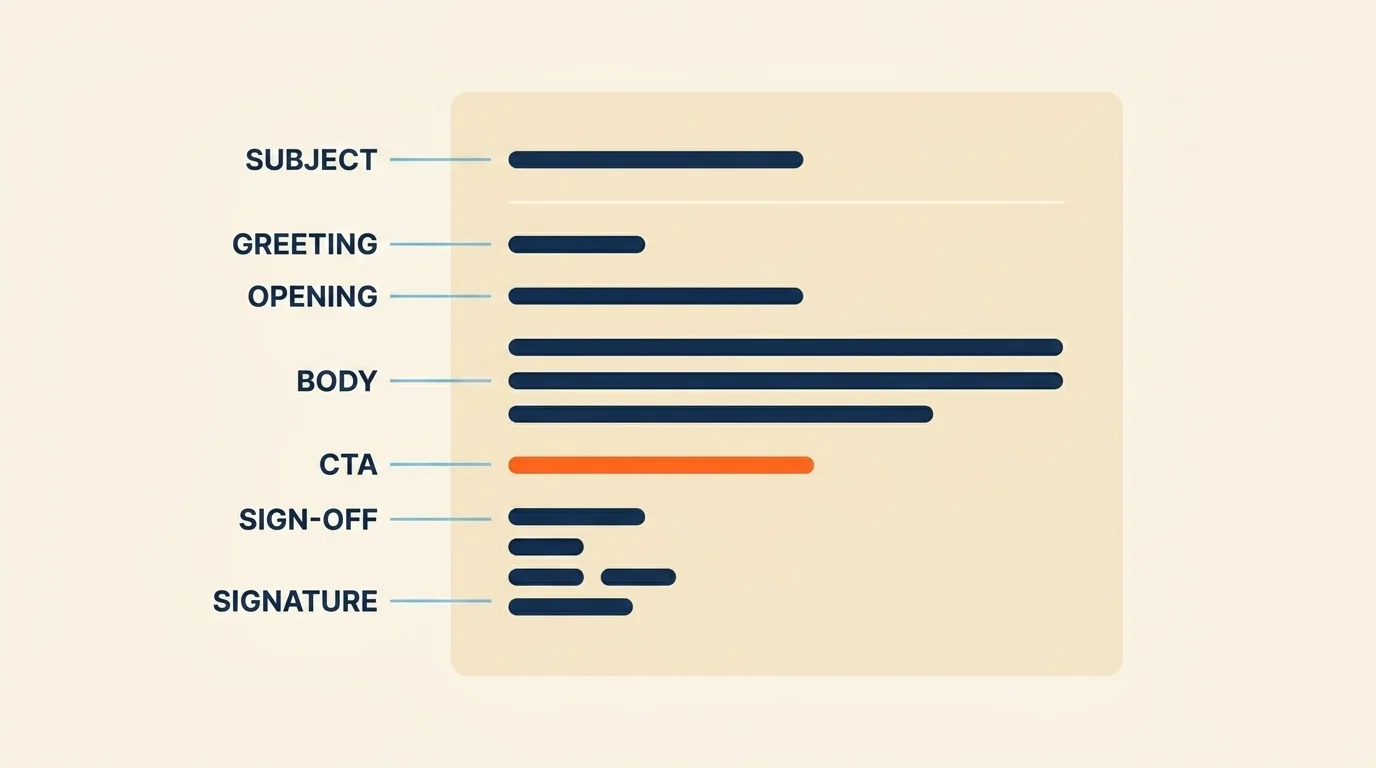
Email format is the standard structure of a professional email — seven parts: subject line, greeting, opening, body, call to action, sign-off, and signature. Strip away the topic and the tone and that skeleton is what's left of every credible email you have ever sent.
Here it is, in order:
- Subject line — what earns the open.
- Greeting — who you are talking to.
- Opening — why you are writing, in one line.
- Body — the single idea, and nothing else.
- Call to action — the one thing you want them to do.
- Sign-off — a clean exit.
- Signature — who you are and how to reach you.
The layout rules are just as fixed and just as ignored: left-aligned, single-spaced, one blank line between paragraphs, no indents. One message carries one purpose and one clear ask — the moment you bolt a second request onto an email, you lower the odds of getting either done. A formal note to a regulator, a business email to a supplier, and a casual line to a colleague you like all run on this same seven-part frame. The only thing that changes between them is the wording — a register question that sits at the heart of email marketing, and one I will come back to.
Why email format is a performance lever, not just etiquette
Most advice treats email format as etiquette — a politeness tax, the digital version of which fork to use. That framing is exactly why nobody measures it. You cannot A/B test good manners, so people assume format is a matter of taste and move on. It is not. Format is one of the few things about an email you fully control, and it moves numbers you can watch.
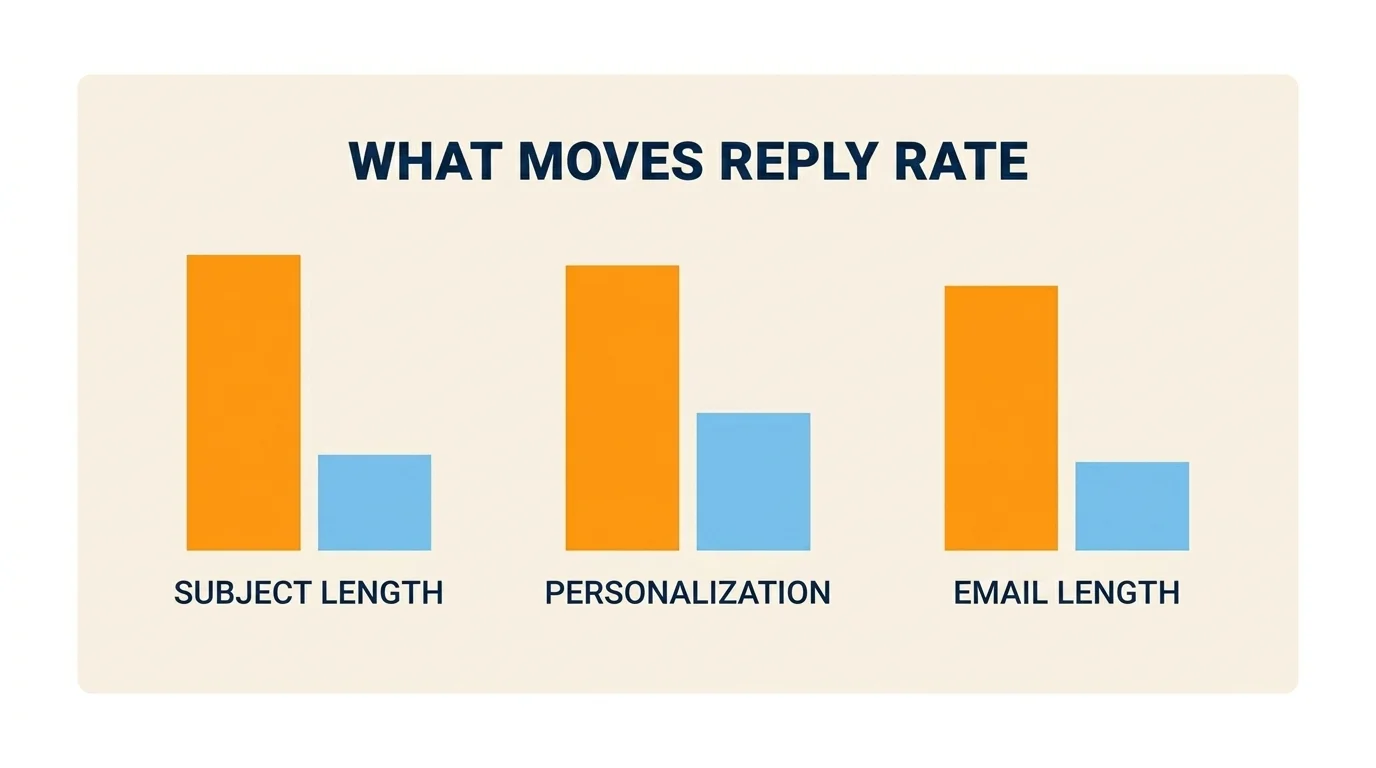
The clearest evidence comes from cold outreach, because that is the one corner of email where somebody actually counts. Average reply rates sit at 3.43% and the top quartile clears 5.5% (Instantly, 2026), and the gap between those two numbers is almost entirely how the message is built, not how many went out. Personalising the message — which is a formatting decision as much as a research one — lifts reply rates from around 3% to around 7%, a 133% jump, across a dataset of 5.5 million emails (Belkins, 2025). Body length is a formatting decision too: 50 to 125 words earns the highest reply rate, roughly 50% better than the long stuff (Mailshake, 2026). And more than half of all opens now happen on a phone (Mailshake), which turns layout from decoration into a deliverability-adjacent constraint — a wall of text that reads fine on your monitor is a wall of text nobody scrolls through on a train.
None of this is unique to sales. It is the same discipline that decides whether one cold email gets a reply and a warmer one does not, and why one newsletter holds its open rate for six months while another quietly leaks subscribers. Email and search reward the same thing, actually: content someone would genuinely want to receive, built so they can read it. So here is the contract for the rest of this guide. Every section below pairs a formatting rule with a number, so you can see exactly what each choice is worth. If a rule could not earn its place, I left it out.
The anatomy of a professional email, part by part
This is the walkthrough — one component at a time, a rule and a worked example for each, and a number attached where one exists. Six parts live here; the signature is big enough to earn its own section after.
Subject line
The subject line is the only part of your email that competes for attention before anyone has decided to read you. Keep it to two to four words and under 50 characters — that length hits roughly a 46% open rate in recent B2B data, and putting a real name or company in it lifts opens another 22 to 30% (Belkins, 2025). ActiveCampaign puts the same rule from the deliverability side: "keep it specific and under 50 characters so it displays fully on mobile" (ActiveCampaign). What kills a subject line is the thing you already reached for when a message felt urgent — "ASAP", "URGENT", "Quick question???" — because false urgency and generic hooks now suppress opens rather than lift them.
Example: Q3 pricing beats Following up on my previous note regarding our Q3 pricing conversation.
Greeting (salutation)
Match the greeting to the relationship. "Dear Mr./Ms. Name" for genuinely formal contact, "Hi First name" for the professional default that covers most working email. Skip "To whom it may concern" — it announces that you did not find out who you are writing to — and skip "Hello, friend," which reads as either a scam or a mail merge that broke. The register you pick here sets up the rest of the message, which is the tone question I get to below.
Example: Hi Sarah, — one line, one comma, done.
Opening line
Your opening line has one job: say why you are writing, or name the thing you have in common, in a single sentence. The reflex to break is opening with "I hope this email finds you well" and nothing else — it is not offensive, it is just throat-clearing that tells a busy reader the real point is still three lines away. Lead with the point.
Example: Saw your team just opened a Dublin office — congratulations. Quick question about your content hiring.
Body
This is where the length data earns its keep. Keep the body between 50 and 125 words — that band pulls the highest reply rate, about 50% better than the long version, and anything past 200 words is measurably working against you (Mailshake, 2026). One idea per email, the ask near the top rather than buried under context, paragraphs of two or three lines so a thumb can move through them. If you cannot make your point in 125 words, the problem usually is not length — it is that you are trying to do two things in one email.
Example: state the reason for writing, add one line of why it matters to them, and stop.
Call to action
End on exactly one ask, and make it concrete. "Let me know your thoughts" is not a call to action; it is a way of making the reader do the work of inventing one. "Are you free for 15 minutes on Thursday?" is. The failure mode here is the email that asks for three things at once — a meeting, a document, and an introduction — which reliably gets you none of them, because you have handed the reader a decision instead of an action. This is the single biggest lever in a cold email, and it matters just as much in a note to your own boss.
Example: Could you send the signed SOW by Friday? — one verb, one deadline.
Sign-off
Close with something plain: "Best," "Regards," or "Thanks," matched to the register you opened in. This is not the place to be memorable. A sign-off's whole job is to get out of the way and hand off to your signature cleanly — which is the part most people format worst, so it gets its own section next.
Example: Thanks, over Warmest regards and have a truly wonderful day ahead,.
How to format an email signature (with example)
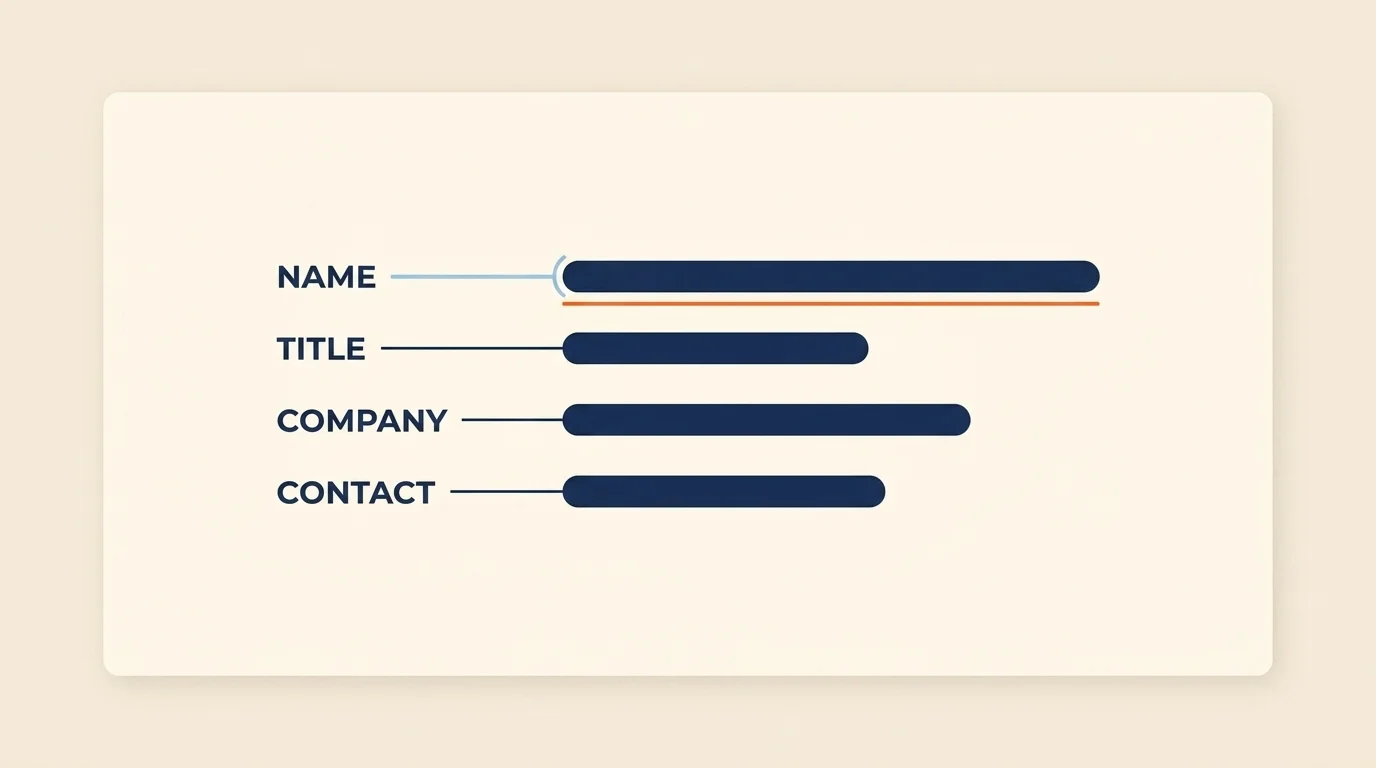
A professional email signature is four lines or fewer: full name, job title, company, and one contact method — clean, consistent, and mobile-legible.
It is the most over-built part of the average email and the one competitors reduce to a footnote, which is odd, because it is the part that renders below the fold on every phone. "Keep it to four lines or fewer" is ActiveCampaign's rule and it is the right one (ActiveCampaign) — full name, what you do, where you do it, and one way to reach you that is not the email they are already replying to.
Here is a version you can copy and adapt:
Declan Morrissey
SEO & Content Strategist, ClicksBuzz
declan@example.com · +353 1 555 0192
Add a small logo or a single social link only if it earns its place; an image-heavy block is where signatures go to hurt your deliverability and collapse on mobile. If you manage a team, standardise the layout — a consistent signature across everyone who emails a client signals that someone is paying attention, and inconsistency signals the opposite. On a phone, assume the whole block sits under the fold and gets skimmed at best, so keep it plain-text-friendly and put nothing load-bearing inside it.
Formal vs. professional vs. casual: choosing your tone
The skeleton from the first section never changes. What changes between a formal email, a professional one, and a casual one is only the wording of the greeting, the body, and the sign-off — same seven parts, three different registers. Here is the practical version:
| Formal | Professional | Casual | |
|---|---|---|---|
| Greeting | Dear Mr./Ms. Name | Hi First name | Hey First name |
| Sign-off | Yours sincerely / Kind regards | Best / Thanks | Cheers / Talk soon |
| Contractions | Avoid | Fine | Encouraged |
| Use it for | Regulators, legal, a first note to a senior stranger | The default for most working email | Colleagues and contacts you actually know |
The selection rule is one line: match the register to the relationship and the stakes, not to habit. The mistake I see most is people defaulting to full formality with everyone because it feels safe — and reading as stiff and slightly distant to the colleague who would have preferred a normal sentence. Formality is a tool for distance and high stakes, not a courtesy you owe everyone. When you are not sure, professional is the safe middle: "Hi Sarah," at the top, "Thanks," at the bottom, and contractions where they fall naturally.
6 copy-paste email templates for common scenarios
Every one of these runs on the seven-part skeleton and stays inside the length rules — short subject, body under 125 words — because a guide about format should practise what it preaches. Fill in the bracketed bits and send.
Cold outreach email
Use this to reach someone you have never met, when you have found one specific reason to. The first line is theirs, not yours — the full cold email guide has the framework behind it.
Subject: Dublin content hire

Hi First name,

Saw Company just opened a Dublin office — congratulations. I write about content strategy and noticed your blog hasn't shipped since the move. If growing organic traffic is on the Q3 list, I'd happily share the two changes I'd make first.

Worth 15 minutes next week?

Thanks,
Your name
Signature
Follow-up email
Send this three or four days after silence, once. Add a reason, not a guilt trip.
Subject: One more thing

Hi First name,

Following up on my note about topic — I'll keep it short. Since I wrote, new development, which is why I thought it was worth a second try. If it's not the right time, just say so and I'll stop. Otherwise, is specific ask doable this week?

Thanks,
Your name
Meeting request email
Use when you need time on someone's calendar and want to make saying yes easy.
Subject: 15 minutes?

Hi First name,

Could we grab 15 minutes this week to walk through specific topic? I'm free day morning or day afternoon — send whichever suits and I'll make it work. Happy to send an agenda first if that's easier.

Best,
Your name
Introduction email
Use to introduce yourself to a new contact.
Subject: Quick intro

Hi First name,

Mutual contact suggested we connect — you're building thing, and I've spent the last few years on relevant experience. No agenda beyond a hello and one idea I think is worth your time. Open to a short call, or happy to keep it to email.

Best,
Your name
Apology / correction email
Use the moment you spot your own error. Own it in the first line; do not bury it.
Subject: Correction

Hi First name,

I got something wrong in my last email — the error, and the correct version is the fix. Apologies for the mix-up and any time it cost you. Everything else in that message still stands. Shout if anything's unclear.

Thanks,
Your name
Client update email
Use for a routine status note. Lead with the headline, then the detail.
Subject: Project update

Hi First name,

Quick update on project: we're on track / behind for milestone. Done this week: 1–2 items. Next: 1–2 items. One thing I need from you — single ask, with a date. Full detail's in the shared doc; happy to jump on a call if you'd rather talk it through.

Best,
Your name
Common email formatting mistakes to avoid
Most "my emails don't get answered" problems trace back to a short list of formatting sins. In rough order of how much damage they do:
- The wall of text. No paragraph breaks means no skimmability, and since more than half your readers are on a phone, an unbroken block is one most of them will scroll past (Mailshake, 2026).
- Hype or false-urgency subject lines. "ASAP", "URGENT", "Don't miss this" — these now measurably suppress opens rather than lift them (Belkins, 2025). The reflex feels productive; the data says it backfires.
- No CTA, or three of them. An email with no clear ask leaves the reader guessing; an email with three competing asks leaves them doing nothing. One email, one action.
- Over-length. Past roughly 200 words, reply rates drop. If it needs more than that, it needs a document or a call.
- Image-heavy or multi-line signatures. They break on mobile, drag your deliverability, and say "template" when you wanted to say "person".
- Centred or indented body text. Left-aligned and single-spaced is what people read fastest; anything else asks the reader to work harder for the same information.
- Skipping the proofread. A typo in the first line reads as carelessness, and carelessness reads as low credibility — fair or not, that is how it lands.
None of these are hard to fix. That is the point: the cheapest reply-rate gains you will ever make are the ones sitting in your own drafts.
Formatting for how people actually read: mobile and skim
Every rule above collapses into one idea: format for the reader you actually have, not the one you imagine. That reader is on a phone more than half the time (Mailshake, 2026), skimming between meetings, deciding in about a second whether to deal with you now or later. Design for the thumb — single column, short paragraphs, left-aligned, no indents, a subject line under 50 characters — and put the ask above the fold, because "the fold" on a phone is roughly two sentences.
For one-to-one email, plain text beats HTML most of the time. It renders reliably on every client, it does not trip the image-heavy filters, and it reads as a person wrote it rather than a marketing system. Save the designed template for the actual newsletter.
One honest caveat on deliverability, because it always comes up: formatting influences whether you land in the inbox only at the margins. The real levers are authentication — SPF, DKIM, DMARC — and a working one-click unsubscribe (Autobound, 2026). Get those right at the account level, then come back here, because writing format is the part you control on every single send.
The one thing to check this hour
There is no mystery to any of this. Email format is a performance lever, not manners — a seven-part skeleton, the right register, a signature that stays out of the way, and templates that respect the length and mobile rules are what turn a correct-looking email into one that gets opened, read, and answered. The gap between the average reply rate and the good one is craft, and craft is learnable.
So here is the one thing to do in the next hour: open the last email you sent that got no reply and check it against the seven parts. My guess is you will find a buried ask or a body over 200 words. Fix that one, then start your next message from one of the six templates above. For the next steps — subject lines, cold outreach, deliverability — the rest of our email marketing guides pick up where this one stops.
Frequently Asked Questions
Keep a professional email under 200 words. The 50-125-word band earns the highest reply rates in 2025-2026 data, since most email is read on a phone between meetings. Front-load your one ask and cut anything that doesn't move the reader toward a single, specific action.
A valid professional subject line is 2-4 words, under 50 characters, specific and non-hype. That length hits roughly a 46% open rate in recent B2B data. Avoid "ASAP", false urgency, and generic greetings like "Hello, friend", which now suppress opens rather than lift them.
The 3-email rule says that if a topic needs more than three back-and-forth emails to resolve, you should switch to a call or a meeting. Email works best for clear, closed-loop asks with one action, not open-ended debate that spirals across a long, forked thread.
A valid email format example is a 2-4 word subject line, a greeting ("Hi Sarah,"), a one-line opening, a two-to-three-sentence body with one clear ask, a sign-off ("Best,"), and a four-line signature, all left-aligned and single-spaced with a blank line between paragraphs.
To write a simple email, use the seven-part structure but keep every part short: a specific subject line, a one-line greeting, a single-sentence reason for writing, one clear request, and a brief sign-off with signature. Aim for under 125 words and one action per message.